
Best PCIe 5.0 SSDs for Gaming in 2026: Top Picks by Stated Specs
The best PCIe 5.0 SSD for gaming in 2026 is the Kingston FURY Renegade G5 4TB, offering the largest stated capacity in this guide at 4096GB, ideal for a massive game library. This guide compares 11 internal M.2 SSDs on their stated specifications and live prices, focusing on capacity and interface to help you choose the right drive for your gaming rig.
11 picks from 13 SSDs that match this guide with a price we can quote today, made by 23 makers. Every price below is live and carries the moment it was read.
The picks at a glance
Which one should you buy?
- For a player who wants the most storage: This pick offers the largest stated capacity in the guide at 4096GB, providing ample room for a vast game library without frequent deletions. See pick 1
- For a player building a high-capacity library: With 4TB of stated storage, this drive suits players who install many large games and want to keep them all installed. See pick 3
- For a player who wants a balance of capacity and speed: This 2TB drive offers a solid capacity for most libraries while being a common size for gaming builds, as stated in the listing. See pick 7
- For a player on a budget who still wants PCIe 5.0: This 1TB drive is the smallest capacity in the guide, but it brings PCIe 5.0 to a more accessible price point, as stated. See pick 11
The 11 picks
1 Largest stated capacity

Kingston FURY Renegade G5 4096GB NVMe SSD | PCIe 5.0 M.2 2280 |
- Kind
- SSD
- Interface
- NVMe
- Form
- M.2
- Capacity
- 4096 GB
- PCIe generation
- 5
$848.95 price as of 2026-10-13 19:43 UTC (Details)
This drive leads the guide with the highest stated capacity at 4096GB, making it the top choice for gamers who need maximum storage. Its position at the top reflects the ranking by capacity, with no other pick offering more.
Pros
- Stated capacity of 4096GB, the largest in the guide
- PCIe 5.0 interface as stated
- M.2 2280 form factor fits most modern motherboards
Cons
- Listing does not state a write speed
- Capacity may be excessive for some players
Good fit if
- Players with extensive game libraries
- Those who want to install many large games without managing space
Skip if
- You prefer a smaller, more affordable drive
- Your motherboard does not support PCIe 5.0
Verdict: The Kingston FURY Renegade G5 offers the most storage in this guide, ideal for gamers who prioritize capacity.
2 Second-largest capacity

Sandisk 3.84TB NAS 800 PCIe 5.0 M.2 2280 NVMe SSD
- Kind
- SSD
- Interface
- NVMe
- Form
- M.2
- Capacity
- 3840 GB
- PCIe generation
- 5
$1,099.99 price as of 2026-10-13 19:44 UTC (Details)
With a stated capacity of 3840GB, this drive ranks second, just behind the Kingston. It offers a slightly smaller but still massive storage space, making it a strong alternative for high-capacity needs.
Pros
- Stated capacity of 3840GB, second in the guide
- PCIe 5.0 and NVMe interface as stated
- M.2 2280 form factor
Cons
- Listing does not state read/write speeds
- NAS-oriented branding may not appeal to all gamers
Good fit if
- Gamers who need near-4TB storage
- Those who trust the Sandisk brand for reliability
Skip if
- You want the absolute largest capacity
- You prefer a drive marketed specifically for gaming
Verdict: A solid high-capacity PCIe 5.0 option, just shy of the top spot.
3 Tied for largest capacity at 4TB

Corsair MP700 PRO 4TB M.2 PCIe Gen5 x4 NVMe 2.0 SSD
- Kind
- SSD
- Interface
- NVMe
- Form
- M.2
- Capacity
- 4000 GB
- PCIe generation
- 5
$839.00 price as of 2026-10-14 05:52 UTC (Details)
This drive matches the Kingston with a stated capacity of 4000GB, but it ranks lower due to the pool order. It offers the same massive storage, making it a top contender for gamers.
Pros
- Stated capacity of 4000GB, tied for largest
- PCIe Gen5 x4 interface as stated
- High-density TLC NAND mentioned in listing
Cons
- Stated write speed is not provided
- Capacity is slightly less than the 4096GB Kingston
Good fit if
- Gamers who want 4TB of storage
- Those who prefer Corsair's reputation
Skip if
- You want a drive with a stated write speed
- You need a capacity larger than 4TB
Verdict: A top-tier 4TB PCIe 5.0 drive, tied for the largest capacity in this guide.
4 Tied for largest capacity at 4TB

Sandisk Optimus GX PRO 8100 4TB PCIe 5.0 NVMe SSD
- Kind
- SSD
- Interface
- NVMe
- Form
- M.2
- Capacity
- 4000 GB
- PCIe generation
- 5
$939.99 price as of 2026-10-13 19:44 UTC (Details) Typical price: $1,079.99, 13% off
Another 4TB option, this drive also states 4000GB, but it is placed after the Corsair due to pool order. It provides the same high capacity for gaming libraries.
Pros
- Stated capacity of 4000GB, tied for largest
- PCIe 5.0 and NVMe interface as stated
- M.2 2280 form factor
Cons
- Listing does not include read/write speeds
- Capacity is 4000GB, same as other 4TB options
Good fit if
- Gamers needing 4TB of storage
- Those who want a Sandisk-branded drive
Skip if
- You prefer a drive with stated speed specifications
- You want a capacity larger than 4TB
Verdict: A reliable 4TB PCIe 5.0 option, tied for the largest capacity.
5 Tied for largest capacity at 4TB
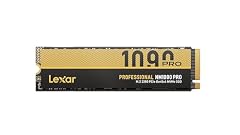
Lexar 4TB NM1090 PRO NVMe SSD
- Kind
- SSD
- Interface
- NVMe
- Form
- M.2
- Capacity
- 4000 GB
- PCIe generation
- 5
$729.99 price as of 2026-10-13 19:43 UTC (Details)
This Lexar drive also states 4000GB, placing it in the top tier. It offers the same capacity as the leaders, and the listing includes read and write speeds.
Pros
- Stated capacity of 4000GB, tied for largest
- PCIe Gen 5 interface as stated
- Listing includes read/write speeds (14,000/13,000 MB/s)
Cons
- Stated write speed is not as high as some competitors
- Brand recognition may be lower than others
Good fit if
- Gamers who want 4TB with stated speeds
- Those open to Lexar as a brand
Skip if
- You prefer a more established brand
- You want a drive with a higher stated write speed
Verdict: A competitive 4TB PCIe 5.0 drive with stated speed specs.
6 Top 2TB pick

WD_Black SN8100 2TB NVMe SSD
- Kind
- SSD
- Interface
- NVMe
- Form
- M.2
- Capacity
- 2000 GB
- PCIe generation
- 5
$480.00 price as of 2026-10-13 19:45 UTC (Details)
This drive leads the 2TB category with a stated capacity of 2000GB, ranking highest among 2TB options. It offers a balance of capacity and performance for most gamers.
Pros
- Stated capacity of 2000GB, top among 2TB drives
- PCIe 5.0x4 interface as stated
- Listing includes read/write speeds (up to 14,900/11,000 MB/s)
Cons
- Capacity may be limiting for very large libraries
- Stated write speed is lower than some 2TB rivals
Good fit if
- Gamers who want a fast 2TB drive
- Those who need a balance of capacity and speed
Skip if
- You need more than 2TB of storage
- You want a drive with a higher stated write speed
Verdict: The best 2TB PCIe 5.0 SSD in this guide, offering high capacity and stated speeds.
7 Popular 2TB choice

Samsung SSD 9100 PRO 2TB
- Kind
- SSD
- Form
- M.2
- Capacity
- 2000 GB
- PCIe generation
- 5
$408.14 price as of 2026-10-13 19:43 UTC (Details)
This Samsung drive also states 2000GB, but it ranks after the WD Black due to pool order. It is a well-known option with a stated read speed of up to 14,700MB/s.
Pros
- Stated capacity of 2000GB
- PCIe 5.0x4 interface as stated
- Listing includes read speed (up to 14,700MB/s)
Cons
- Write speed not stated in the listing
- Capacity is 2000GB, not the largest in the guide
Good fit if
- Gamers who trust Samsung's reputation
- Those who want a fast 2TB drive
Skip if
- You need a stated write speed
- You want a capacity larger than 2TB
Verdict: A reliable 2TB PCIe 5.0 drive from a trusted brand.
8 Budget 2TB option

Corsair MP700 Elite 2TB PCIe 5.0 x4 NVMe M.2 SSD
- Kind
- SSD
- Interface
- NVMe
- Form
- M.2
- Capacity
- 2000 GB
- PCIe generation
- 5
$459.99 price as of 2026-10-14 05:52 UTC (Details)
This Corsair drive also states 2000GB, but it is placed after the Samsung due to pool order. It offers a potentially lower price point for 2TB capacity, as listed.
Pros
- Stated capacity of 2000GB
- PCIe 5.0 x4 interface as stated
- High-density 3D TLC NAND mentioned in listing
Cons
- Listing does not include read/write speeds
- Capacity is 2000GB, not the largest in the guide
Good fit if
- Gamers who want 2TB without speed specs
- Those who prefer Corsair products
Skip if
- You need stated speed numbers
- You want a capacity larger than 2TB
Verdict: A solid 2TB PCIe 5.0 option, though speed details are not stated.
9 Stated speed leader

SABRENT Rocket 5 2TB Advanced Performance Internal M.2 PCIe GEN 5 14GB/s
- Kind
- SSD
- Interface
- NVMe
- Form
- M.2
- Capacity
- 2000 GB
- PCIe generation
- 5
$349.99 price as of 2026-10-13 19:43 UTC (Details)
This Sabrent drive also states 2000GB, but it is placed after the Corsair Elite due to pool order. It is notable for its stated speed of 14GB/s in the listing.
Pros
- Stated capacity of 2000GB
- PCIe Gen5 x4 interface as stated
- Listing includes speed (14GB/s)
Cons
- Write speed not explicitly stated
- Capacity is 2000GB, not the largest in the guide
Good fit if
- Gamers who want a fast 2TB drive
- Those who value stated speed specs
Skip if
- You need a specific write speed
- You want a capacity larger than 2TB
Verdict: A high-performance 2TB PCIe 5.0 drive with a stated speed of 14GB/s.
10 Competitive 2TB option
Lexar 2TB NM1090 PRO NVMe SSD
- Kind
- SSD
- Interface
- NVMe
- Form
- M.2
- Capacity
- 2000 GB
- PCIe generation
- 5
$369.99 price as of 2026-10-13 19:43 UTC (Details)
This Lexar drive also states 2000GB, but it is placed after the Sabrent due to pool order. It offers a similar capacity with stated speeds of 14,000/13,000 MB/s.
Pros
- Stated capacity of 2000GB
- PCIe Gen 5 interface as stated
- Listing includes read/write speeds (14,000/13,000 MB/s)
Cons
- Brand recognition may be lower than others
- Capacity is 2000GB, not the largest in the guide
Good fit if
- Gamers who want a 2TB drive with stated speeds
- Those open to Lexar as a brand
Skip if
- You prefer a more established brand
- You want a capacity larger than 2TB
Verdict: A solid 2TB PCIe 5.0 drive with competitive stated speeds.
11 Smallest capacity, budget pick

Kioxia EXCERIA Plus G4 NVMe SSD 1TB Internal SSD
- Kind
- SSD
- Interface
- NVMe
- Form
- M.2
- Capacity
- 1000 GB
- PCIe generation
- 5
$285.78 price as of 2026-10-13 19:43 UTC (Details)
This drive has the smallest stated capacity in the guide at 1000GB, making it the entry-level option. It still offers PCIe 5.0, but with less storage for the price.
Pros
- Stated capacity of 1000GB, the smallest in the guide
- PCIe Gen5 x4 interface as stated
- Listing includes read/write speeds (10,000/7,900 MB/s)
Cons
- Capacity may be limiting for large libraries
- Stated read speed is lower than some others
Good fit if
- Gamers on a budget who want PCIe 5.0
- Those with smaller game libraries
Skip if
- You need more than 1TB of storage
- You want a drive with a higher stated read speed
Verdict: A budget-friendly PCIe 5.0 option, but with limited capacity.
Side by side
| # | SSD | Kind | Interface | Form | Capacity | PCIe generation |
|---|---|---|---|---|---|---|
| 1 | Kingston FURY Renegade G5 4096GB NVMe SSD | PCIe 5.0 M.2 2280 | | SSD | NVMe | M.2 | 4096 GB | 5 |
| 2 | Sandisk 3.84TB NAS 800 PCIe 5.0 M.2 2280 NVMe SSD | SSD | NVMe | M.2 | 3840 GB | 5 |
| 3 | Corsair MP700 PRO 4TB M.2 PCIe Gen5 x4 NVMe 2.0 SSD | SSD | NVMe | M.2 | 4000 GB | 5 |
| 4 | Sandisk Optimus GX PRO 8100 4TB PCIe 5.0 NVMe SSD | SSD | NVMe | M.2 | 4000 GB | 5 |
| 5 | Lexar 4TB NM1090 PRO NVMe SSD | SSD | NVMe | M.2 | 4000 GB | 5 |
| 6 | WD_Black SN8100 2TB NVMe SSD | SSD | NVMe | M.2 | 2000 GB | 5 |
| 7 | Samsung SSD 9100 PRO 2TB | SSD | not stated | M.2 | 2000 GB | 5 |
| 8 | Corsair MP700 Elite 2TB PCIe 5.0 x4 NVMe M.2 SSD | SSD | NVMe | M.2 | 2000 GB | 5 |
| 9 | SABRENT Rocket 5 2TB Advanced Performance Internal M.2 PCIe GEN 5 14GB/s | SSD | NVMe | M.2 | 2000 GB | 5 |
| 10 | Lexar 2TB NM1090 PRO NVMe SSD | SSD | NVMe | M.2 | 2000 GB | 5 |
| 11 | Kioxia EXCERIA Plus G4 NVMe SSD 1TB Internal SSD | SSD | NVMe | M.2 | 1000 GB | 5 |
How we picked
This guide evaluates 11 internal M.2 SSDs, all stating PCIe 5.0 compatibility, drawn from a pool of 13 priced listings. The picks are ranked by stated capacity, from largest to smallest, with ties broken by the order in the pool file. Each drive is compared on its stated specifications, including capacity and interface, and its live price at the time of data collection. The guide does not measure performance; it relies solely on the specifications stated by the seller. This approach ensures a transparent comparison based on what is listed, helping you make an informed decision for your gaming storage needs.
How to choose
What the PCIe 5.0 interface means for gaming
PCIe 5.0 is the latest generation of the PCI Express interface, offering higher bandwidth than previous versions. For gaming, this can translate to faster loading times for games and assets, though the actual benefit depends on the game and system. When choosing a PCIe 5.0 SSD, ensure your motherboard has a PCIe 5.0 M.2 slot to take advantage of the interface. The listings in this guide state PCIe 5.0 compatibility, but you should verify your system's support.
Capacity: How much storage do you need?
The capacity of an SSD determines how many games you can install. Modern games can be large, so a higher capacity drive like 4TB allows you to keep more games installed without deleting. The picks in this guide range from 1TB to 4TB. Consider your game library size and whether you prefer to install many games at once or rotate them. A larger capacity also provides room for future game installations.
Stated speeds: What do the numbers tell you?
Many listings include read and write speeds, such as 'up to 14,800MB/s'. These numbers indicate the maximum theoretical transfer rates, but actual performance can vary based on system configuration and workload. When comparing SSDs, look at the stated speeds to gauge relative performance, but remember that these are not guarantees. The guide ranks by capacity, not speed, so you can prioritize capacity or speed based on your needs.
Form factor and compatibility
All drives in this guide are M.2 2280, a common form factor for modern motherboards. However, not all M.2 slots support PCIe 5.0. Check your motherboard's specifications to ensure it has a PCIe 5.0 M.2 slot. Additionally, some drives may require a heatsink for cooling, but this guide does not cover thermal performance. Ensure your system has adequate cooling for high-performance SSDs.
What this guide leaves out (and why)
This guide does not cover real-world performance metrics like load times, frame rates, or thermal behavior, as the catalogue only provides stated specifications. The site does not run or measure these drives. Therefore, the comparison is based solely on what the seller states: capacity, interface, and sometimes speeds. For a deeper understanding, refer to the manufacturer's official pages, which may provide additional details.
Questions
Does this guide cover frame rates, fan noise or temperatures?
No. The catalogue provides only stated specifications such as capacity, interface, and sometimes speeds. Frame rates, fan noise, and temperatures are not included. For such information, you would need to consult the manufacturer's official documentation or other sources.
What is the difference between PCIe 4.0 and PCIe 5.0 SSDs?
PCIe 5.0 offers double the bandwidth of PCIe 4.0, which can allow for higher sequential read and write speeds. For gaming, this may result in faster loading times, but the benefit depends on the game and system. The drives in this guide all state PCIe 5.0, but ensure your motherboard supports it to take full advantage.
How much storage do I need for gaming?
The amount of storage you need depends on your game library. Modern games can be large, so a 2TB drive is a common choice for many gamers, while 4TB offers more room for extensive libraries. The guide includes options from 1TB to 4TB, so consider your current and future needs. A larger capacity allows you to keep more games installed without deleting.
Are the stated speeds in the listings guaranteed?
No. The speeds stated in the listings, such as 'up to 14,800MB/s', are maximum theoretical values. Actual performance can vary based on system configuration, workload, and other factors. The guide does not verify these speeds; it only reports what the seller states. For more detailed performance data, consult the manufacturer's official specifications.
Can I use a PCIe 5.0 SSD in a PCIe 4.0 slot?
In most cases, yes. PCIe 5.0 SSDs are typically backward compatible with PCIe 4.0 slots, but they will operate at PCIe 4.0 speeds. This means you won't get the full potential of the drive. The listings in this guide state PCIe 5.0, but check your motherboard's compatibility to ensure optimal performance.
Recent updates
- : First published.