

Radeon RX 7900 XTX Power Monitoring Adapter Failure: What Buyers Should Know
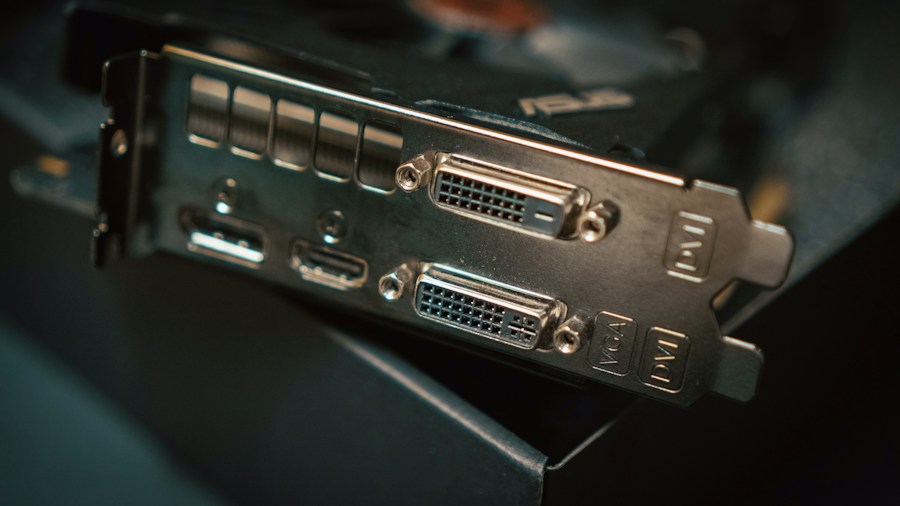
A recent incident involving a Radeon RX 7900 XTX graphics card has raised important questions about power delivery safety, even when using industry-standard components. An owner of the high-end Radeon GPU reported that the 8-pin connectors on their Thermal Grizzly WireView monitoring device suffered severe heat damage, complete with visible melting and scorched plastic. This discovery came after the user experienced repeated system freezes and black screen crashes during normal operation.
The Problem: Connector Failure in a Popular Monitoring Tool
The WireView adapter is designed to sit between your graphics card and its power cables, giving you real-time visibility into power consumption, voltage levels, amperage draw, and peak power usage. Rather than connecting power cables directly to the GPU, electricity flows through the monitoring device first. This approach adds convenience for enthusiasts and overclockers, but it also introduces an extra set of connectors and electrical contacts into the power delivery chain.
In this case, the 8-pin connectors on the GPU side of the device showed unmistakable signs of thermal stress. The connectors were fully seated at the time of failure, suggesting that the problem was not simply a matter of loose connections. Despite this being one of the most reliable power connector standards in PC hardware, the damage clearly demonstrates that 8-pin connectors are not completely immune to the overheating issues that have plagued the newer 16-pin standard.
The exact root cause remains unclear, but several potential factors could have contributed. Poor electrical contact between the connector and its mating surface, increased resistance at connection points, physical damage to the connector itself, or a flaw within the monitoring adapter are all possibilities. Thermal Grizzly has suggested in past incidents that improper seating, interference from the GPU backplate, or incorrectly aligned or soldered contacts may be responsible. The company has reached out to the affected user and requested they contact support so the incident can be fully investigated.
Why This Matters for Shoppers
If you own an AMD Radeon RX 7900 XTX or similar high-performance GPU, this incident carries practical implications for how you power and monitor your system. While AMD GPU technology continues to climb in popularity and capability, the power demands of these cards require serious attention to cable and connector quality.
First, even established connector designs can fail under certain conditions. If you plan to use power monitoring equipment, ensure that your PSU cables are rated for your GPU’s maximum power draw and that all connections are physically secure and properly aligned. Second, adding any middleman device between your PSU and GPU introduces additional points of failure. While monitoring tools provide valuable data, they come with risk. Make sure any adapter you use is from a trusted manufacturer with solid track records and support responsiveness.
Third, if you notice sudden system instability, unexpected crashes, or black screens while under load, it is worth checking your power delivery connections. Overheating connectors often precede complete power delivery failure, so catching the problem early can prevent more serious hardware damage.
Context: 8-Pin Connectors Can Be Reliable When Implemented Correctly
To put this in perspective, the 8-pin PCIe connector itself is not the culprit. Recently, extreme hardware modders successfully ran a heavily modified graphics card on three traditional 8-pin connectors, achieving power draws as high as 900W with heavy-gauge cabling and custom implementations. This demonstrates that when 8-pin connectors are properly designed, soldered, and connected, they can handle extreme workloads. The modded setup showed the connectors could support the card reaching 3,400 MHz, proving their theoretical capability.
However, that extreme example is far removed from stock hardware. The key difference is that professional-grade modification involved direct PCB soldering, heavy-gauge cables, and custom engineering. In contrast, standard consumer setups rely on mass-produced connectors and adapters that may not always maintain perfect electrical contact under sustained load.
What Should You Do
If you use a Thermal Grizzly WireView or similar power monitoring device, monitor the adapter’s temperature during operation, ensure all connections are fully seated and aligned, and watch for any signs of heat damage or discoloration. As users continue exploring ways to maximize Radeon performance, understanding power delivery remains essential. Keep your cable management clean and your connections firm. If you experience crashes or freezes on a new Radeon card, check your power connectors before assuming the GPU itself is faulty. Finally, consider whether power monitoring is worth the added risk for your specific use case, particularly if you are not actively overclocking or performing detailed power analysis on a regular basis.

Write Your Review
No reviews yet. Be the first to share your experience!