

A quality gaming keyboard can elevate your competitive edge and typing comfort in ways that budget peripherals simply cannot match. Whether you play fast-paced shooters, strategy games, or use your keyboard for productivity, selecting the right model requires understanding what features matter most for your playstyle.
1. Prioritize Switch Technology and Actuation Speed
Modern gaming keyboards come equipped with different switch types, but magnetic switches have emerged as the gold standard for serious gamers. Hall Effect switches offer adjustable actuation points down to incredibly precise tolerances like 0.01mm, allowing you to fine-tune how sensitive your inputs feel. This level of customization is invaluable for esports competitors who need millisecond-level responsiveness.
When evaluating switches, test multiple keyboards in person if possible. The tactile feedback, smoothness, and noise level vary significantly between models. Look for switches described as buttery or smooth for typing comfort, while competitive gamers should prioritize ultra-low actuation sensitivity for split-second reactions.
2. Look for Advanced Gaming Features

Beyond basic responsiveness, premium gaming keyboards include specialized features that give you an advantage. Rapid Trigger technology allows the keyboard to register your input as soon as you press the key, without waiting for full actuation. Last Key Prioritization ensures that when you press multiple keys simultaneously, only your most recent keystroke registers, preventing missed commands during intense gameplay.
These features transform how you interact with demanding games and are particularly important if you compete in esports titles or play rhythm-based games where precision timing matters.
3. Check Polling Rate and Response Time
A keyboard’s polling rate measures how often it communicates with your PC. Standard keyboards typically poll at 125Hz or 250Hz, but gaming keyboards often reach 1000Hz or even higher. Higher polling rates mean more responsive input registration, translating to smoother gameplay and faster reaction times in competitive scenarios.
Pair this with sub-millisecond response times, which should be measured in fractions of a millisecond rather than whole milliseconds. This combination ensures your keystrokes register instantly without any perceptible delay.
4. Evaluate Layout and Physical Comfort
The best keyboard performs well only if you can use it comfortably during extended gaming sessions. Full-size keyboards include a number pad and dedicated function keys for productivity tasks, while compact or 75% layouts save desk space without sacrificing essential keys. Choose a layout that matches your gaming and work habits.
Pay attention to build quality and materials. Keyboards constructed with premium materials feel more durable and often produce less flex during intense gaming. Textured grips and ergonomic curves should support your hands during long play sessions without causing fatigue.
5. Consider Customization and Software
Modern gaming keyboards often feature web-based software that lets you reprogram keys, adjust actuation sensitivity, and create game-specific profiles without installing heavy applications. This approach keeps your system cleaner while providing powerful customization options.
Look for keyboards offering easy access to DPI adjustments, sensitivity tuning, and macro programming. The best gaming peripherals make customization intuitive rather than requiring technical knowledge.
6. Balance Features with Your Budget
Gaming keyboards range from budget options around $100 to premium models exceeding $300. Determine which features genuinely improve your gaming performance versus nice-to-have extras. Some budget keyboards offer decent core performance but may compromise on build quality or software features.
Competitive gamers and esports enthusiasts should invest in keyboards with adjustable actuation and advanced gaming features. Casual players may find solid mid-range keyboards provide excellent value without breaking the bank. Always prioritize switch quality and response time over cosmetic features.
7. Test Before Committing
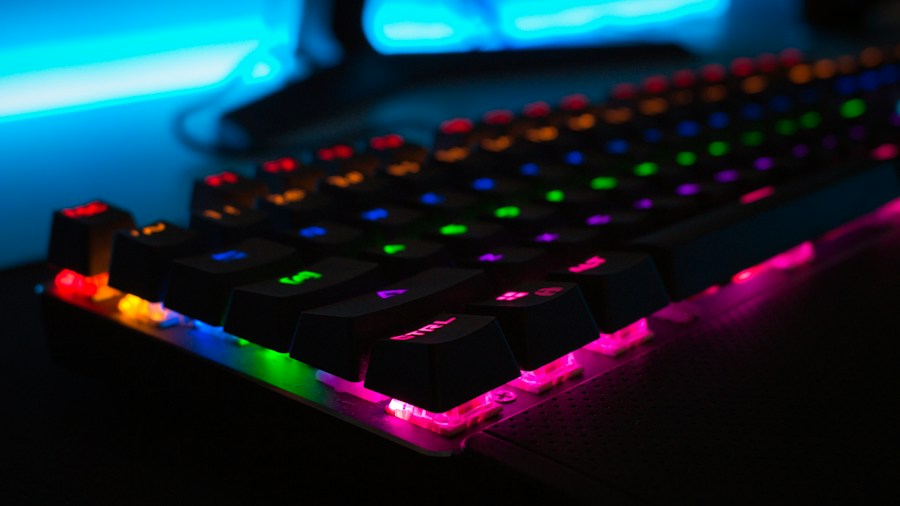
If possible, try keyboards before purchasing. Different switch types, layouts, and builds feel dramatically different under your hands. Visit retailers that allow hands-on testing, watch detailed reviews from trusted sources, and read user feedback about specific models you are considering.
Pay special attention to how the keyboard feels during the types of games you actually play. A keyboard perfect for typing may feel different when gaming intensely. Keyboard technology continues evolving with new switch designs and customization options, so staying informed about emerging options helps you make the best choice for your needs.
Final Thoughts
Choosing the right gaming keyboard involves balancing performance features, physical comfort, customization options, and your budget. By prioritizing switch technology, evaluating gaming-specific features, and testing models when possible, you can find a keyboard that enhances both your competitive performance and daily typing experience. Invest in quality where it matters most, and your gaming setup will reward you with years of responsive, reliable gameplay.









Write Your Review
No reviews yet. Be the first to share your experience!