

A researcher decided to test a seemingly obvious question: what happens to a gaming PC’s thermals and frame rates when you pack decorative items inside the case? The answer surprised many who worry obsessively about airflow and cooling efficiency.
The Experiment Setup
Using an iBuyPower RDY system with an RTX 4070 Super GPU housed in a Hyte Y40 case, the tester established a baseline measurement on a mild September day. Without any obstructions, the graphics card reached 83 degrees Celsius under full load during the FurMark 2 benchmark, achieving 195 fps at 1080p and 132 fps at 1440p. The baseline established, the researcher began gradually adding collectible figures inside the case, monitoring temperatures and performance at each step.
Surprising Thermal Results
What emerged from the data contradicted conventional wisdom shared across gaming forums. With 20 decorative figures crammed inside the case, temperatures only climbed to 84 degrees Celsius at 1080p, representing a mere 1-degree increase from the baseline. The 1440p benchmark maintained a stable 132 fps throughout the testing process, never dropping significantly despite the internal clutter.
Performance metrics remained remarkably consistent. The 1080p test even showed a peak of 198 fps when eight figures occupied the interior, though this likely reflects normal variance rather than an actual performance boost from the decorations. Frame rates at higher resolution held steady, suggesting that modern gaming PC cooling solutions handle minor obstructions better than enthusiasts fear.
As the researcher noted, ambient temperatures dropped back to baseline levels within 60 seconds after each benchmark completed, even with plastic figures throughout the case. This indicates that the cooling system recovers quickly and maintains effective thermal management under realistic conditions.
What This Means for PC Buyers
For gamers considering personalizing their gaming PC builds with decorative elements, this test provides reassurance. You don’t need to sacrifice your favorite collectibles or interior case mods to maintain healthy component temperatures. Modern gaming PC designs, particularly those with tool-free panels and thoughtful airflow engineering, tolerate minor obstacles without performance degradation.
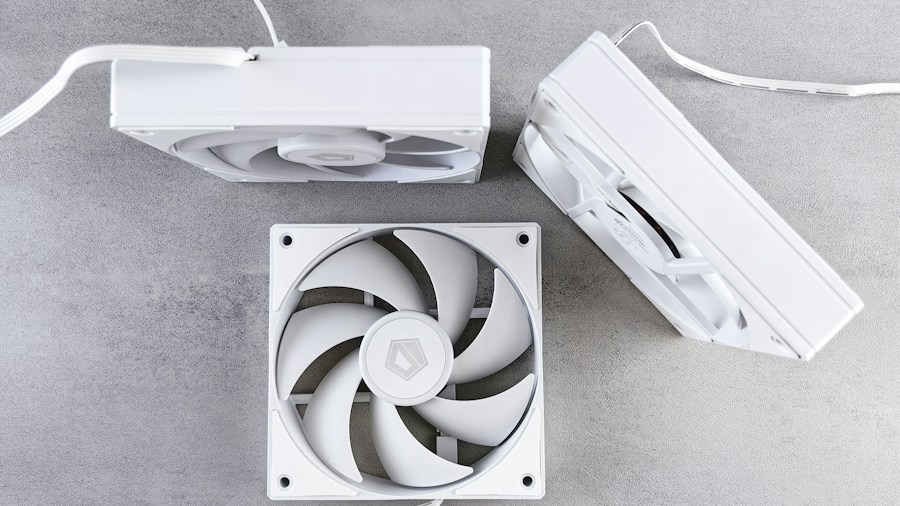
However, placement and spacing remain important considerations. During testing, taller figures created clearance concerns, particularly around rapidly spinning fans. One figure nearly lost an appendage when positioned too close to active cooling components. This highlights a practical limitation: cramming items randomly throughout a gaming PC isn’t advisable from a safety or component longevity perspective. Even if thermals hold steady, contact between plastic objects and mechanical parts poses physical risks.
The stacking approach eventually became necessary as floor space depleted, which isn’t ideal for display or optimal airflow patterns. Gamers should prioritize thoughtful placement that maintains adequate clearance around fans, intake vents, and exhaust ports. A few carefully positioned items across the interior will perform just as well as a completely empty case while allowing you to express your personal style. Those interested in performance-focused builds might also explore high-performance gaming PC options that combine aesthetic appeal with top-tier components.
The Airflow Conversation

Online communities frequently debate whether interior decorations constitute a genuine cooling problem. This testing suggests the concern is overstated for typical use cases. Short benchmark sessions lasting 60 seconds may not fully represent hours of gameplay, particularly with demanding titles running at maximum graphics settings. Extended sessions with multiple interior objects could theoretically produce different results than these snapshot tests.
The takeaway: you can safely add a modest number of decorative items to your gaming PC without meaningful performance consequences, provided they don’t restrict airflow paths or contact moving components. Excessive customization like 20 figures is clearly beyond practical limits, but a handful of carefully placed pieces won’t harm your system’s ability to maintain safe temperatures.
When evaluating gaming PC options for purchase, consider case design quality alongside cooling specifications. Cases designed with modular panels, ample interior space, and well-engineered airflow patterns accommodate personalization better than cramped designs. You can enjoy both performance and personalization by choosing hardware that supports both priorities. For those exploring premium aesthetic-focused systems, high-end gaming PC models with integrated artistic elements demonstrate how manufacturers balance form and function.
Practical Takeaways
Start with one or two items and monitor your gaming PC’s temperatures during actual gameplay, not just benchmarks. Ensure adequate clearance around fans and air intake zones. Avoid stacking items precariously or blocking exhaust paths. Quality case design matters more than fanatical minimalism. Modern gaming PC cooling systems prove resilient enough to handle reasonable personalization without sacrificing thermals or frame rates.





Write Your Review
No reviews yet. Be the first to share your experience!