

The Problem Sony Headphones Users on Windows and Linux Face
If you own a pair of Sony wireless headphones, you already know they pack impressive features. Noise cancellation, ambient sound modes, customizable equalizers, and battery management are all built in. But here’s the catch: if you want to access these controls from your Windows or Linux computer, you’re stuck. Sony only provides a mobile app for managing these settings, leaving PC users without an official solution.
This gap has frustrated countless buyers who rely on their computers for work, gaming, or entertainment. You can pair your Sony headphones via Bluetooth, but you cannot adjust advanced settings directly from your PC without downloading a third-party app from your phone first. For those seeking a seamless desktop experience, this limitation has always been a significant drawback.
A Community-Built Solution Emerges
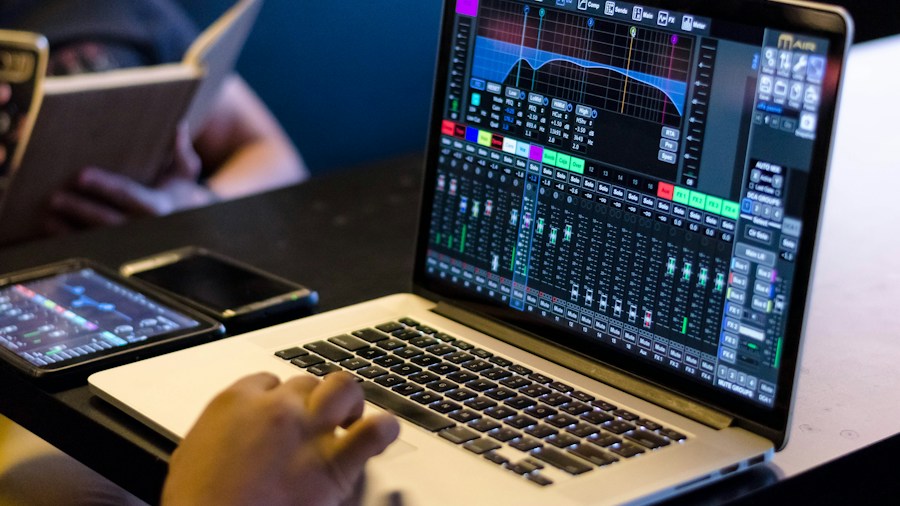
Good news arrived when developer marconvcm created the Sony Device Center app, an unofficial utility that brings desktop control to Sony wireless headphones on Windows and Linux systems. The app replicates the functionality found in Sony’s official mobile applications, giving PC users direct access to features they should have had from the start.
What can you control with Sony Device Center? The app lets you adjust active noise cancellation levels, toggle ambient sound modes, fine-tune sound with a full 10-band equalizer, modify bass settings, enable DSEE upscaling, monitor battery percentage, and activate Speak to Chat functionality. All of this is available without touching your phone. If you own Sony WH-CH530 headphones or other popular Sony models, this solution may significantly improve your experience.
Compatibility Across Multiple Sony Models
One of the app’s biggest strengths is its broad compatibility. Sony Device Center works with newer headphones like the WH-1000XM6, but it also supports older models including the WH-1000XM4, WH-1000XM3, WH-1000XM2, WH-XB900N, and MDR-XB950BT. This means even if you purchased your Sony headphones several years ago, you can likely benefit from this unofficial app today.
The compatibility extends to older connection protocols as well. Devices using Sony’s v1 connection standard can pair with the app, making it a genuinely backward-compatible solution. For buyers who have invested in Sony’s ecosystem over time, this universality represents real value.
Installation and Access
Getting started with Sony Device Center is straightforward for tech-savvy users. The app is available free of charge through GitHub, with clear installation instructions provided for both Windows and Linux platforms. Simply download the repository, follow the setup guide for your operating system, and you’ll be ready to manage your headphones from your desktop.
The fact that this solution is free removes any financial barrier to improving your Sony headphone experience on PC. Given that official support remains absent, this community-driven alternative fills an important gap without asking users to pay extra.
What This Means for Shoppers
If you’re considering buying Sony headphones with extended battery life, understanding this PC limitation matters. You should know that Sony does not officially support desktop management of headphone settings on Windows or Linux. However, the existence of Sony Device Center changes the equation substantially. It provides a workaround that is free, widely compatible, and reasonably user-friendly.
For buyers who spend significant time on their computers, this unofficial app transforms Sony headphones from a frustrating choice to a viable one. You gain the same control available to mobile users, assuming you are comfortable installing open-source software from GitHub. The app has proven stable and functional across different Sony models and computer platforms.
Limitations and Codec Considerations

One constraint worth noting: Windows does not natively support Sony’s LDAC codec for high-resolution audio, even with Sony Device Center installed. Your Android devices can tap into LDAC, but Windows users miss out on this advantage. Some tech-focused buyers have experimented with modified A2DP drivers, though success depends heavily on your PC’s hardware age and specifications.
This codec limitation is not the app’s fault, but rather a Windows and Sony business decision. It’s something to consider if high-resolution audio playback from your computer is a priority for your purchase decision.
Final Thoughts for Buyers
Sony’s failure to release an official Windows and Linux app for headphone management has been a long-standing oversight. The company’s focus on mobile users left PC owners without proper support. Thanks to the developer community, that gap is now closed, at least unofficially.
Before purchasing Sony wireless headphones, confirm that you can install and use Sony Device Center on your specific system. Once you do, you’ll have the control you deserve without any additional expense or hassle.







Write Your Review
No reviews yet. Be the first to share your experience!