

Understanding Liquid Metal as a Thermal Solution
Liquid metal has emerged as a game-changing alternative to traditional thermal paste for serious PC builders and enthusiasts. Unlike conventional pastes, liquid metal compounds deliver significantly higher thermal conductivity, which means heat transfers away from your CPU or GPU much more efficiently. The challenge is that liquid metal requires more careful handling and application than standard pastes, but the performance gains make it worth learning the proper techniques.
Tip 1: Know Your Liquid Metal Composition
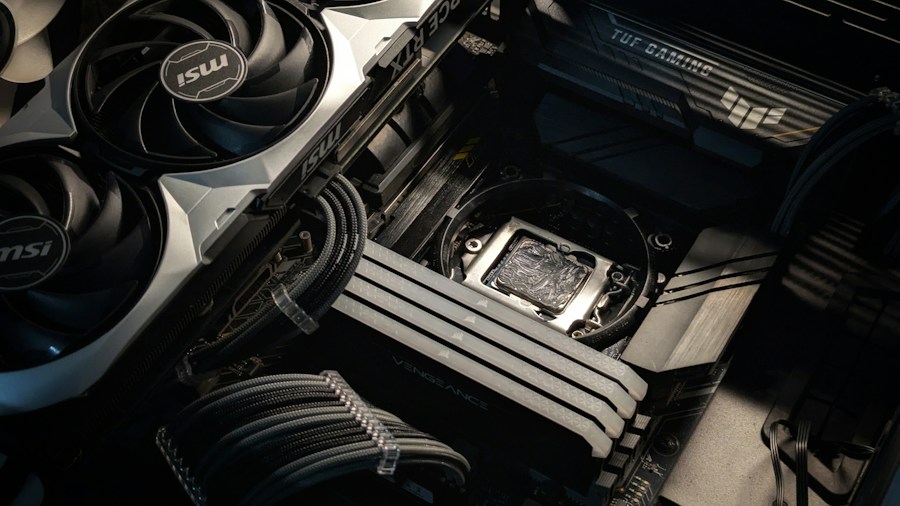
Modern liquid metal solutions typically consist of gallium-indium alloys mixed with silicone matrices. These compounds remain liquid at room temperature while maintaining structural integrity through specialized oxide skins that coat individual droplets. Understanding this composition helps you appreciate why liquid metal behaves differently from traditional thermal interface materials. Some formulations achieve thermal conductivity levels up to 40 times higher than unfilled silicone alternatives, translating to real-world temperature reductions when applied correctly.
Tip 2: Prepare Your Hardware Properly
Before applying liquid metal, clean your CPU and cooler base thoroughly with isopropyl alcohol and a lint-free cloth. Any residual paste, dust, or oils will compromise the bond between the liquid metal and your components. Allow surfaces to dry completely before proceeding. Unlike standard thermal paste, liquid metal can be more reactive with certain materials, so ensuring a pristine surface is crucial for both performance and longevity.
Tip 3: Apply a Protective Barrier
Liquid metal can corrode certain metals and damage PCB areas if it comes into contact with them. Apply a thin protective layer such as kapton tape or liquid electrical insulation around your CPU socket and any exposed circuitry near the mounting area. This simple step prevents accidental spillage from causing expensive damage. High-end systems like the 10 best thermal paste options available often come with application guides that stress this protective measure.
Tip 4: Use Minimal Amount and Even Distribution
Less is more with liquid metal. Apply only a small pea-sized drop to the center of your CPU and allow the cooler’s pressure to spread it evenly across the surface. Overapplication wastes material and increases the risk of overflow or leakage. The liquid nature of the compound means it spreads more readily than traditional paste, so resist the urge to manually spread it with an applicator. A properly mounted cooler will distribute the material uniformly.
Tip 5: Monitor Component Compatibility
Not all cooling solutions work equally well with liquid metal. Some aftermarket coolers have nickel-plated bases that resist liquid metal degradation, while others may use materials more susceptible to corrosion. Check your cooler manufacturer’s specifications before committing to liquid metal application. Premium thermal solutions recommended for Ryzen processors often include clear guidance on compatibility with liquid metal compounds.
Tip 6: Plan for Regular Maintenance Checks
Liquid metal can migrate over time due to thermal cycling and vibration. Unlike traditional paste, which remains relatively stable, liquid metal droplets may shift position within the interface layer. Schedule periodic inspections of your system’s temperatures and consider reapplying after 12 to 24 months of heavy use. Wearable devices and stretchable electronics using liquid metal have demonstrated self-healing properties in research settings, but traditional CPU installations benefit from preventive monitoring.
Tip 7: Consider Your Cooling Solution and Ambient Conditions
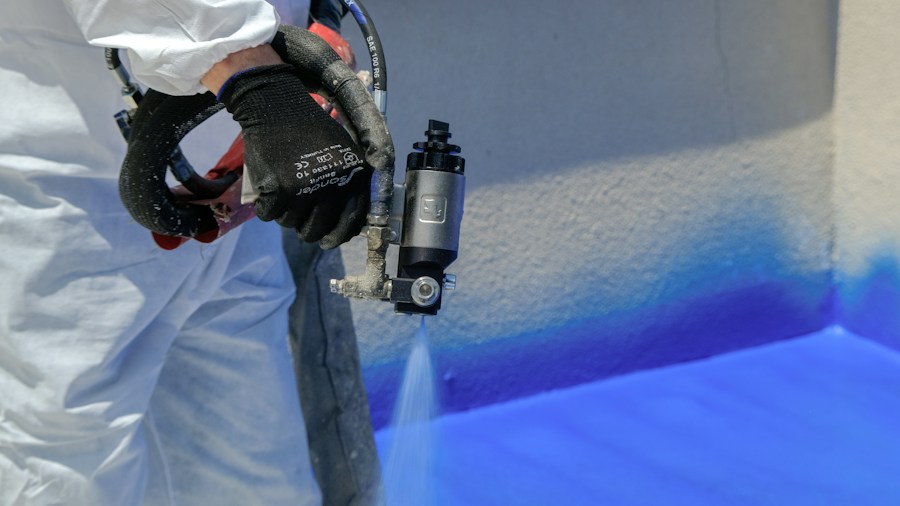
Liquid metal performs exceptionally well under high-performance cooling systems and benefits from stable ambient temperatures. If your case lacks adequate airflow or you live in a consistently hot climate, standard thermal paste may prove more forgiving. Conversely, if you run a high-end custom water cooling loop or extreme overclocking setup, liquid metal’s superior thermal conductivity becomes especially valuable. Applications ranging from custom heat sinks to specialized electronics show that directed cooling approaches maximize liquid metal’s advantages. Quality thermal paste solutions with application tools give you additional options for finding the right balance between performance and ease of use.
The Future of Liquid Metal Thermal Solutions
Research into advanced manufacturing and flexible electronics continues expanding liquid metal’s potential applications. As technology matures, expect improved formulations designed specifically for consumer PC hardware rather than adapted from laboratory research. Current innovations suggest better stability, easier application, and enhanced safety profiles. Whether you choose liquid metal or traditional paste, understanding your thermal interface options empowers better system-building decisions for your specific needs and comfort level.









Write Your Review
No reviews yet. Be the first to share your experience!