

Gaming mouse polling rates have become a hot topic in competitive gaming circles, and new insights from professional Counter-Strike players are changing how casual gamers think about this technical specification. While many enthusiasts chase the latest 8K polling rate mice, the reality of what actually matters for your gameplay may be simpler than you think.
Understanding Polling Rate Basics
A mouse’s polling rate measures how often it reports its position to your computer, measured in hertz (Hz). Standard mice operate at 1K (1000 Hz), meaning they send position data 1000 times per second. Higher polling rates like 4K and 8K promise smoother cursor movement and faster response times, but the practical benefits remain hotly debated among players of all skill levels.
Recent conversations with professional Counter-Strike 2 competitors reveal that the jump from 1K to higher polling rates does produce noticeable differences, contrary to what casual players often assume. However, jumping all the way to 8K may not be necessary for most gamers.
What Pro Players Actually Use
According to interviews with competitive players from top teams, preferences vary based on playstyle and sensitivity settings. One professional player competing at the highest level uses 4K polling rate, citing a clear improvement in motion smoothness compared to the standard 1K baseline. This player notes there is indeed a meaningful difference between 1K and 2K, with diminishing returns after that point.
Interestingly, not all pros maximize their polling rates. Some competitive players stick with 1K polling despite having access to faster mice. Their reasoning? Lower sensitivity playstyles benefit differently from higher polling rates than high-sensitivity, flick-heavy approaches. When a player relies on large sweeping arm movements rather than small wrist flicks, the smoothness gains from 4K or 8K become more apparent.
The relationship between DPI settings and optimal polling rates adds another layer of complexity. Players using lower DPI values often prefer the smoother feeling provided by mid-range polling rates, explaining why top professionals don’t universally adopt the fastest available technology.
Battery Life and System Stability Concerns
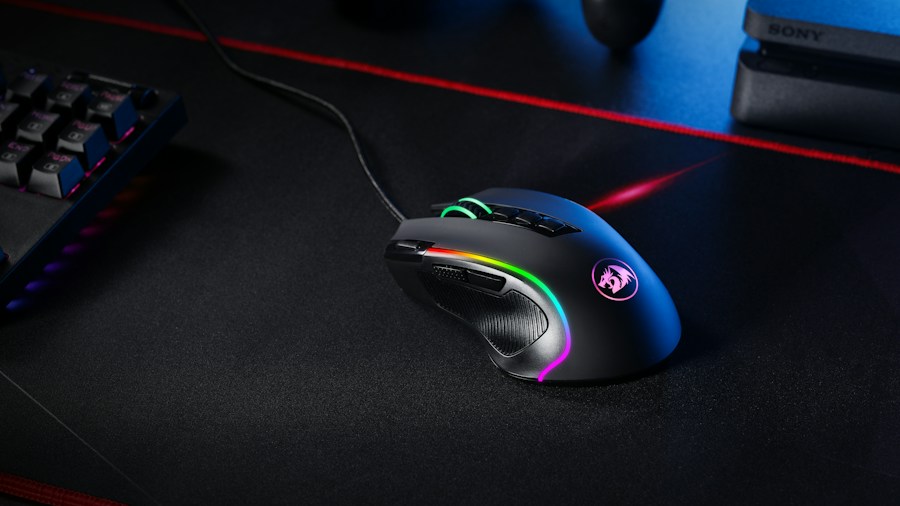
Beyond performance, practical considerations matter for everyday gaming. Running an 8K polling rate consumes more power, which matters significantly for wireless mouse users concerned about battery longevity. Additionally, some gaming setups experience stuttering or performance issues when pushed to maximum polling rates, making the upgrade counterproductive.
Testing different polling rates over extended periods reveals that the performance gains aren’t always consistent across different systems and games. What works flawlessly on one PC might introduce subtle input lag or instability on another, depending on hardware and driver configurations.
Finding Your Ideal Polling Rate
Rather than automatically upgrading to the fastest available polling rate, competitive gamers should consider their specific playstyle. If you’re someone who relies on precision positioning and controlled movements, a modest upgrade from 1K to 2K or 4K might yield noticeable improvements without the downsides of maximum polling rates.
Flick-shot players, conversely, may benefit more from higher polling rates and should test 4K as a middle-ground option before committing to 8K. The investment in a mouse with adjustable polling rates allows you to experiment and find your personal threshold where diminishing returns set in.
Professional insights suggest that most competitive gamers perform better with 2K or 4K polling rates rather than pushing to extremes. This balanced approach provides meaningful responsiveness improvements while maintaining system stability and battery efficiency. If you’ve been hesitant to increase your polling rate beyond the standard 1K, the consensus from top players indicates it’s worth experimenting with mid-range options.
When shopping for your next gaming mouse, look for models that support adjustable polling rates so you can dial in what works best for your setup and playstyle. The best polling rate isn’t the highest one, it’s the one that makes your gameplay feel responsive without introducing lag, stuttering, or battery concerns.





Write Your Review
No reviews yet. Be the first to share your experience!