

Windows 11 26H2 Addresses One Critical Issue for Computer Users
Microsoft released Windows 11 26H2 recently, and while the update doesn’t introduce groundbreaking new features, it does solve a real problem that has frustrated PC owners: excessive memory consumption. The update represents a significant step forward in optimizing system performance, especially for users running older machines or systems with limited RAM resources.
RAM Usage Drops Significantly Across the Board

The most noteworthy improvement in this release is the measurable reduction in RAM usage. Users have reported that the operating system now consumes considerably less memory after installation. On a three-year-old laptop with 16GB of total system RAM, the update resulted in approximately 2GB of freed memory. Another user with a system sporting 48GB of RAM observed memory usage at startup falling from 6.9GB to 4.8GB following the update, representing a substantial improvement.
These findings align with Microsoft’s ongoing initiative to minimize Windows 11’s memory footprint. The company has been committed to delivering optimizations that lead to faster boot times and improved overall performance on systems with limited RAM. However, Microsoft has not publicly disclosed the specific technical mechanisms behind these memory optimizations, leaving some questions about the underlying engineering changes.
Low Latency Profile Becomes Universally Available
Beyond memory improvements, the 26H2 update brings another performance benefit through broader access to the Low Latency Profile feature. This functionality temporarily increases CPU clock speed to enhance responsiveness in critical areas like the Start menu, search functionality, and application launches. Users have reported noticeable improvements in system responsiveness when using this feature.
The Low Latency Profile initially reached general availability in June with favorable reception, particularly among owners of older machines. Microsoft subsequently refined the feature two months later with additional enhancements targeting File Explorer, search capabilities, and app launch speeds. The challenge had been that Microsoft initially deployed the feature through a gradual rollout, meaning some users remained without access to its performance benefits for months. Now, with the 26H2 update, virtually all compatible PCs should have access to these performance enhancements.
It’s important to note that users with newer, high-end systems may not perceive significant differences from the Low Latency Profile. The most noticeable improvements occur on older PCs and machines with less powerful hardware specifications. If your system already has robust processing capabilities, the speed boost may be negligible or entirely unnoticeable.
Implications for CPU Performance and System Responsiveness
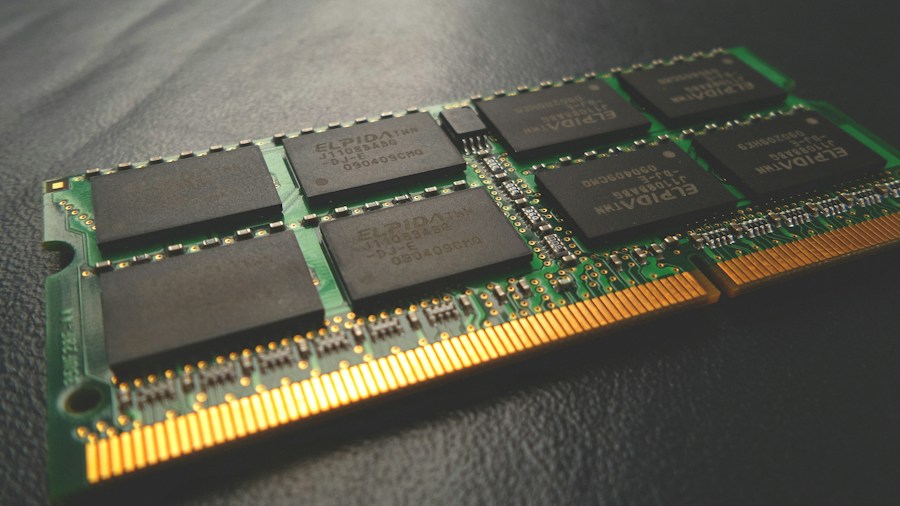
These optimizations carry important implications for CPU performance across a wide range of hardware configurations. By reducing RAM requirements and improving CPU clock management, Windows 11 26H2 enables processors to work more efficiently. This is particularly relevant for users concerned about optimizing processor performance in modern systems.
The update demonstrates Microsoft’s recognition that many users operate systems with modest hardware specifications. Rather than requiring expensive hardware upgrades, these software-level optimizations allow existing PCs to deliver better performance. This approach benefits budget-conscious consumers and extends the useful lifespan of existing equipment.
What Shoppers Should Know Before Upgrading
If you’re considering whether to install Windows 11 26H2, the performance improvements make it an attractive option, particularly if your system struggles with RAM limitations. However, it’s worth noting that some users have reported compatibility issues following the update, so waiting for initial bug reports to surface may be prudent.
The update specifically addresses performance concerns that have plagued Windows 11 since its launch. For those running systems with 16GB of RAM or less, the memory reduction could translate into noticeably faster operation and smoother multitasking capabilities. Understanding your current hardware specifications will help you gauge the potential impact of this update on your specific setup.
Microsoft has indicated it may provide additional technical details about these optimizations at a future event, so additional information about the engineering behind these improvements may become available. For now, the anecdotal evidence from early adopters suggests that this update represents a meaningful improvement in system efficiency, making it worthwhile for most users to eventually upgrade. As you consider your options for maintaining and optimizing your computing setup, installing a more efficient operating system is one practical step toward better performance.









Write Your Review
No reviews yet. Be the first to share your experience!