

A recent hands-on experiment shows just how much thermal performance matters when it comes to graphics card cooling. One hardware enthusiast decided to take things into his own hands, removing the stock coolers from several graphics cards and replacing them with dual-tower CPU coolers. The results were striking: temperature reductions of up to 32 degrees Celsius, significant power savings, and measurable frame rate improvements across multiple cards.
How the Experiment Worked
The modification process was straightforward but required careful work. The modder used an angle grinder to carefully remove sections of the original cooler assembly, exposing the metal backplate of the GPU core. Once exposed, he mounted a standard CPU cooler directly to this surface using mechanical fasteners. The CPU cooler’s dual towers and dual fans provided far more surface area and airflow compared to the cramped, factory-standard cooling solutions.
This approach was tested on three different graphics cards with varying power requirements and thermal output. The lowest-power card tested drew 120W, while the highest-end model pulled 250W under load. By testing across this range, the experiment highlighted how thermal improvements scale with card power consumption.
Temperature and Performance Results
The improvements grew more dramatic with more powerful hardware. On the entry-level card, temperatures dropped by roughly 9 degrees Celsius under load, and overclocking yielded a 9 percent increase in gaming frame rates. The mid-range card showed even better results, with a 20-degree temperature reduction and 7 percent more frames per second when pushed to higher clock speeds.
The high-end flagship card delivered the most impressive outcome. When compared to a less capable cooler mounted on the same hardware, the dual-tower CPU cooler achieved a staggering 32-degree temperature reduction in one test run. The card also consumed about 30W less power, roughly a 12 percent reduction in total power draw. Even after overclocking, the custom cooling solution kept temperatures 19 degrees cooler than baseline.
What This Means for Your Computer
These findings raise important questions about cooling design in consumer products. Factory coolers prioritize cost and space constraints over outright thermal performance. If you’re serious about purchasing a CPU and building a high-performance gaming rig, understanding the role of cooling becomes crucial to maximizing your investment.
The power consumption reduction is particularly noteworthy. Lower thermals mean less energy wasted on heat dissipation, which translates to lower electricity bills and reduced stress on your power supply. For users with older or limited power budgets, this efficiency gain could be the difference between stable performance and system throttling.
Frame rate improvements of 7 to 9 percent, while not revolutionary, compound over time. These gains allow games to run smoother, hitting higher frame rates at the same settings, which improves visual fluidity and reduces input lag. For competitive gamers or those playing demanding titles, every percentage point matters.
The Cooling Challenge in Modern Hardware
As graphics processors grow more powerful, thermal management becomes increasingly critical. A 250W graphics card generates serious heat density, and fitting adequate cooling into a reasonable card size is an engineering challenge. Factory solutions must work for diverse use cases, from passively cooled thin-profile designs to high-end aftermarket variants.
This experiment demonstrates that thermal headroom exists in many designs. When you explore options like higher-performance processors with demanding power requirements, the quality of your cooling solution becomes non-negotiable.
Is This Practical for Average Users
While the results are compelling, this modification requires skills and tools most consumers don’t have. Using an angle grinder on expensive hardware demands precision and experience. Any mistake could ruin the card entirely. Additionally, mounting a CPU cooler to a graphics card voids warranties and may violate product return policies.
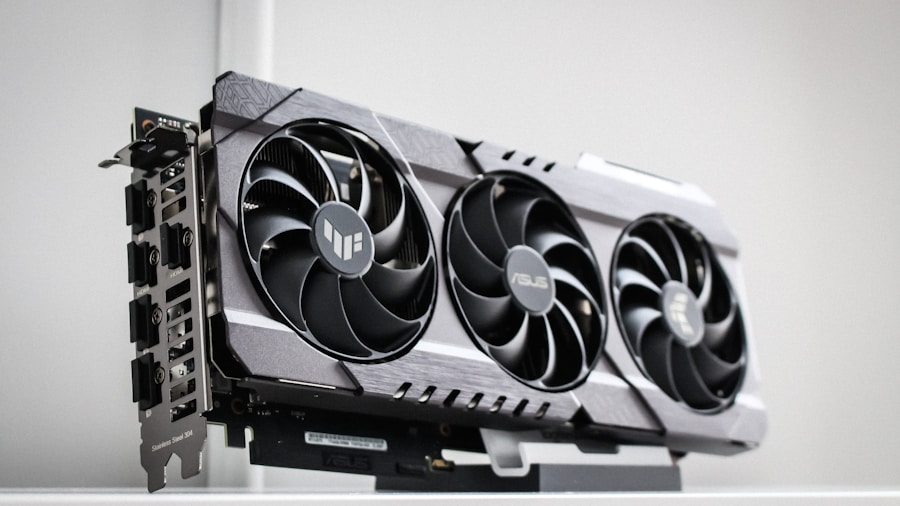
However, the experiment does highlight a valuable lesson: aftermarket cooling solutions for graphics cards remain underutilized. If your card runs hot, exploring third-party coolers designed for your specific model offers legitimate thermal improvements without requiring modifications. Many high-end cards come with superior factory coolers that deliver much better temperatures than baseline designs.
For builders concerned about temperatures, always verify you’re purchasing genuine components from trustworthy retailers and consider investing in cases with superior airflow and cable management. Better case design, strategic fan placement, and judicious component selection deliver significant real-world benefits without the risks of hardware modification.
The Bottom Line
This cooling experiment proves that thermal design significantly impacts performance and efficiency. While swapping coolers yourself isn’t recommended for most users, the findings reinforce the importance of choosing cards with proven thermal solutions. When shopping for hardware, don’t overlook cooling as a key purchasing factor. Your temperatures, power consumption, and frame rates will thank you.










Write Your Review
No reviews yet. Be the first to share your experience!