

If you’re thinking about streaming your gameplay while using a single PC, a recent independent test reveals something important: the software you use to manage your stream could be costing you 10-15 percent of your gaming performance, even on top-tier hardware. This finding matters for anyone considering a streaming setup, and it changes the calculus for gamers deciding whether to invest in streaming equipment.
The Performance Hit Is Real and Significant
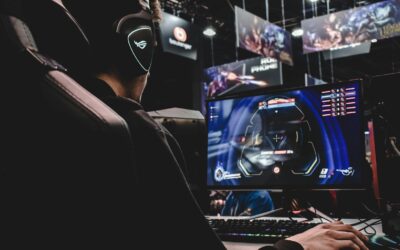
A technical investigation tested what happens when you run OBS Studio, the free, open-source broadcasting software, in the background of gameplay on a single gaming PC. This is the budget-friendly approach most streamers take, rather than buying a second computer dedicated to streaming. The results showed consistent performance drops across various hardware combinations, including systems paired with an RTX 5090 graphics card. Even with powerful CPUs, gamers experienced framerates dropping by approximately 10-15 percent whenever OBS was active and encoding their stream.
For competitive gamers, this penalty is substantial. A 15 percent framerate loss can mean the difference between smooth, responsive gameplay and stuttering that impacts your ability to react during online matches. The older or less expensive your graphics card, the larger the performance hit becomes, since the software demands more from your system’s resources.
What This Means for Your Hardware Choices
The findings suggest that if you’re building a streaming PC today, you should think carefully about your priorities. CPU advancements and market shifts have made high-end processors more affordable in relative terms, but a dedicated dual-PC streaming setup still costs considerably more than upgrading a single gaming machine.
For streamers who play competitive titles, a second PC specifically for handling the video encoding might be worth the investment. This older gaming PC doesn’t need to play the game itself, only manage the stream, which is far less demanding. However, if hardware budgets are tight, accepting the performance compromise might be necessary.
Consider Your Game Genre First
The type of game you play should influence your decision. If you stream strategy games, turn-based titles, or slower-paced content where a few extra milliseconds don’t matter, a 10-15 percent performance drop might be acceptable. Your viewers will get your stream, and your own experience, while not optimal, remains playable. But shooters, fighting games, and fast-paced multiplayer titles demand every frame. At 144 frames per second, losing 15 percent drops you to about 122 frames per second, a noticeable degradation.
Additionally, emerging CPU architectures and server technologies are pushing the boundaries of what encoding software can do. As streaming tools become more sophisticated, they may demand even more from consumer hardware.
Optimization Options Exist
Before assuming you need a second PC, try reducing your streaming quality settings. Lowering your output resolution or bitrate decreases the CPU and GPU load from encoding. You might stream at 720p60 instead of 1080p60, or reduce your bitrate from 6000 to 4500 kbps. These changes are barely noticeable to viewers but can significantly reduce the performance impact on your gaming.
You can also experiment with different encoding options within the software itself. Some settings prioritize quality while others prioritize performance. Finding the sweet spot where your stream looks respectable without destroying your framerates takes testing, but it’s worth your time.
The Real-World Impact
For casual streamers and content creators, this information is liberating. It confirms that running streaming software and games simultaneously on a single machine is possible, just with a measurable cost. You’re not doing anything wrong if your framerates dip when OBS is active. It’s a limitation of the approach itself, not a sign of inadequate hardware. Advanced CPU design innovations continue to improve encoding efficiency, but consumer-grade systems still face tradeoffs.
If you’re shopping for hardware specifically to support streaming, budget for either a second machine or higher-tier components than you might otherwise consider. If you already own a capable gaming PC and want to start streaming, lower your quality expectations initially, optimize your settings, and then decide if a hardware upgrade makes sense for your situation.


Write Your Review
No reviews yet. Be the first to share your experience!