

A Critical Windows Update Is Causing Game Crashes
A recently released Windows update has triggered a widespread problem affecting several popular multiplayer games. Titles including Arc Raiders, Marvel Tōkon: Fighting Souls, and The Finals have become unresponsive on systems running the latest patch. This issue emerged shortly after the KB5121003 update rolled out, leaving gamers frustrated and searching for solutions. For anyone shopping for or building a gaming PC, understanding this problem and its causes is important for making informed purchasing decisions about hardware compatibility.
The Culprit: RGB Lighting Drivers
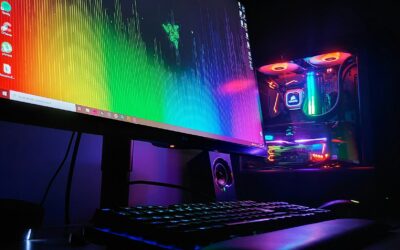
Microsoft’s investigation has traced the crashes to a surprising source: RGB lighting components. The problematic file inpoutx64.sys, which is commonly installed by RGB lighting hardware and software, appears to be clashing with the Windows update and certain games. When systems contain this driver file, launching affected games triggers immediate unresponsiveness. This discovery highlights an often-overlooked factor when building or purchasing a gaming PC. Many enthusiasts prioritize flashy RGB peripherals and lighting systems, but these components can sometimes create compatibility headaches that interfere with actual gaming performance.
The situation underscores why careful hardware selection matters. While RGB lighting enhances the visual appeal of a gaming PC setup, the underlying software driving these features can occasionally cause serious issues. Gamers may need to choose between aesthetics and functionality when facing driver conflicts like this one.
How to Fix the Problem
Microsoft has provided a temporary workaround for affected users. By disabling the inpoutx64.sys driver through the Windows registry, gamers can restore functionality to their affected titles. The process involves navigating to HKEY_LOCAL_MACHINESYSTEMCurrentControlSetServicesinpoutx64 in the registry editor, locating the Start value, and changing it to 4. After restarting the computer, the problematic driver becomes inactive, allowing games to run normally again.
However, this fix comes with a trade-off. Disabling the driver may also disable some RGB lighting features, meaning that customizable keyboard backlighting, mouse lighting, or internal PC lighting effects might stop functioning. Users must decide whether they prioritize playing their games or maintaining their PC’s visual aesthetics. Microsoft strongly recommends backing up the entire registry before making any changes, as improper registry edits can cause serious system problems.
What This Means for Shopping Decisions
This incident offers valuable lessons for anyone considering a gaming PC purchase or upgrade. When evaluating components and peripherals, the stability of their driver software should weigh alongside flashy features. RGB lighting has become nearly ubiquitous in gaming hardware, from keyboards and mice to RAM and case fans, but not all RGB implementations are equally robust. Issues like this one demonstrate that premium features sometimes create unforeseen complications.
For shoppers building a custom system, prioritizing core performance components like processors, graphics cards, and memory will always deliver better gaming results than investing heavily in RGB lighting. Similarly, when selecting a pre-built gaming PC, reviewing the specific brands and drivers used for RGB components can help avoid future headaches. The fact that hardware specifications continue advancing makes it even more important to focus on stability over style.
The Broader Context
This situation also reflects the ongoing relationship between Windows updates and gaming hardware. Major OS updates occasionally introduce unexpected conflicts with gaming peripherals and software, even when no intentional changes target those devices. Patient gamers might choose to wait for Microsoft’s official patch before updating their systems, or they can roll back to a previous Windows version temporarily.
Until Microsoft releases a permanent fix, the temporary workaround remains the most straightforward solution. The company has indicated it continues investigating the relationship between RGB components, the affected games, and the Windows update. Once a proper resolution arrives, users can re-enable their RGB features without sacrificing gaming functionality.
Moving Forward
For anyone shopping for a gaming PC or considering hardware upgrades, this incident reinforces the importance of researching component compatibility before making purchases. While RGB lighting creates an impressive aesthetic, reliable drivers and stable software should always take priority. Check user forums and reviews to identify which brands have strong driver support and maintain compatibility with current Windows versions. When building a custom rig, consider starting with proven, stable components before adding optional features like RGB lighting.
The gaming PC market continues evolving with new features and capabilities arriving regularly. However, the fundamentals of stability and performance should guide your purchasing decisions. By staying informed about issues like this Windows update problem, you can make smarter choices that prioritize actual gameplay over visual flash.




Write Your Review
No reviews yet. Be the first to share your experience!